OWL-ViT on DeepStream: Detect Anything by Describing It
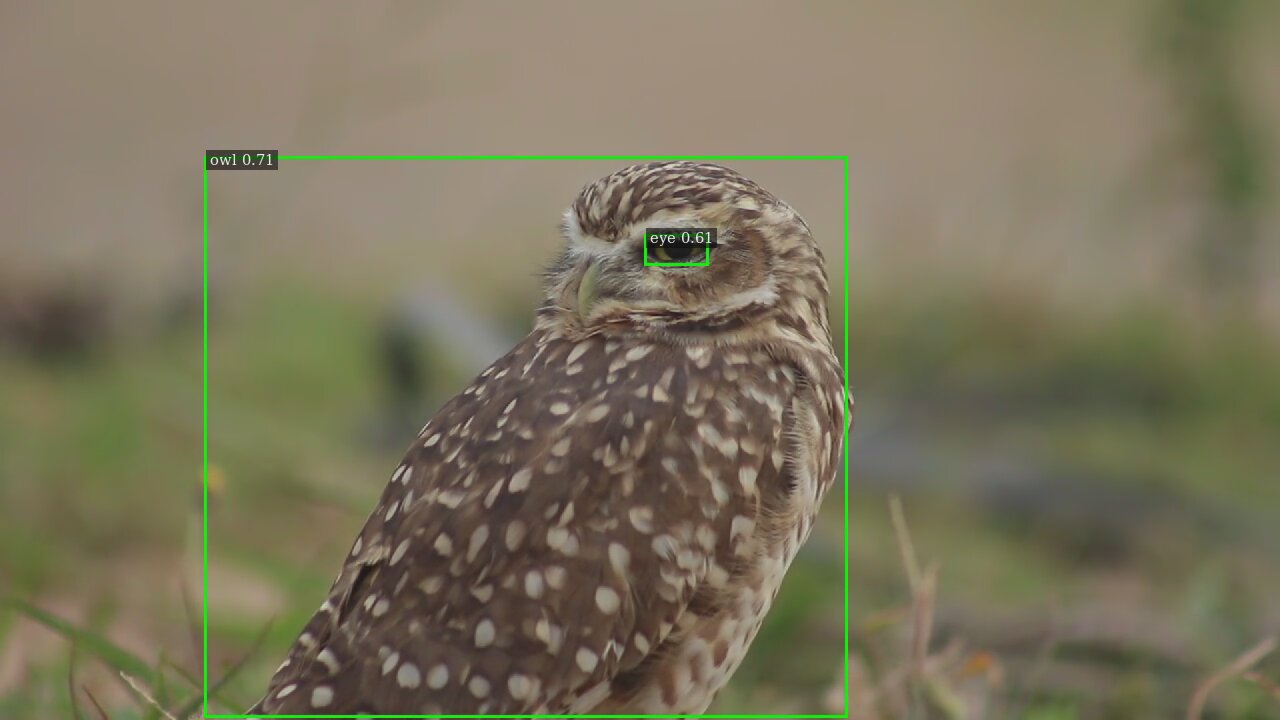
owl . eye .What if you could point a camera at a video and simply tell it what to look for — in plain words — and then change your mind halfway through without stopping anything? That's exactly what this project does. It runs Google's OWL-ViT (and the newer OWLv2) open-vocabulary detectors on NVIDIA's DeepStream video pipeline, so you can say what to detect and switch it live, mid-stream.
Repo: github.com/Vishnu-RM-2001/OWL-ViT-deepstream
Detect things by describing them
Traditional detectors only know the classes they were trained on. OWL-ViT is different: it matches parts of an image against text you write. Want owls and eyes? Just say so:
owl . eye .Change the words, change what it finds — "tomato", "bird in a burrow", "person wearing a helmet". No retraining, no new dataset.
What makes OWL-ViT special
OWL-ViT processes the image and the text separately, then matches them up. That design has a big practical payoff: when you change the prompt, it doesn't need to re-analyse the picture from scratch — the new words take effect on the next frame. That makes it especially snappy for interactive, "change-it-as-you-go" use.
Change the prompt while it runs
This is the headline feature. With the video already playing, send a new phrase and the detector switches over instantly — no restart, no interruption. You can also run several video streams at once that share the same prompt.
Three models to choose from
Pick the trade-off you want with the --model flag:
- owlvit — fastest.
google/owlvit-base-patch32, 768×768 input. - nanoowl — balanced. A ViT-B/16 variant, 768×768 input.
- owlv2 — most accurate. Larger ensemble model, 960×960 input.
Quick start
Everything runs inside the NVIDIA DeepStream 9.0 container. Scripts automate the setup — export the model, build the TensorRT engine, compile the app, then run with a video and a prompt:
# run detection on a video with a text prompt
./scripts/run.sh --model owlv2 --video file:///workspace/data/owl.mp4 "owl . eye ."
That writes out an annotated video with each box labelled by the phrase that matched it. Swap --model owlvit or --model nanoowl to trade accuracy for speed.
A few technical notes
- Acceleration: models run through TensorRT, with
fp16andint8precision options for higher speed. - Detection knobs: configurable confidence threshold and NMS (overlap filtering) to tune how many boxes you get.
- Multi-stream: run multiple sources together, all driven by one shared prompt.
- Deployment: fully Docker-based on the DeepStream 9.0 image — no messy local install.
How it works, in plain terms
OWL-ViT turns your words into a kind of "search fingerprint", and turns each region of the video frame into a matching fingerprint. The detector then keeps the regions whose fingerprint is closest to your words and draws a labelled box around them. Because the words and the image are handled on separate tracks, changing the prompt is cheap — which is why live switching feels instant.
Where this is useful
- Wildlife monitoring — change search terms on the fly (a specific animal, a nest, an eye in the dark).
- Multi-stream surveillance — watch many feeds at once for the same thing.
- Agricultural inspection — spot ripe produce or damage (tomato detection is demonstrated).
- Interactive analysis — an operator types what matters right now and the system follows.
Takeaway: OWL-ViT lets you detect whatever you can describe, and its split image/text design makes changing the prompt mid-stream feel instant. Three model sizes let you dial in speed vs. accuracy, and it all runs GPU-accelerated on DeepStream. Say it, and it finds it.
Try it / read the full setup: github.com/Vishnu-RM-2001/OWL-ViT-deepstream — MIT licensed.