Florence-2 on DeepStream: One Vision Model for Detection, OCR & Captioning
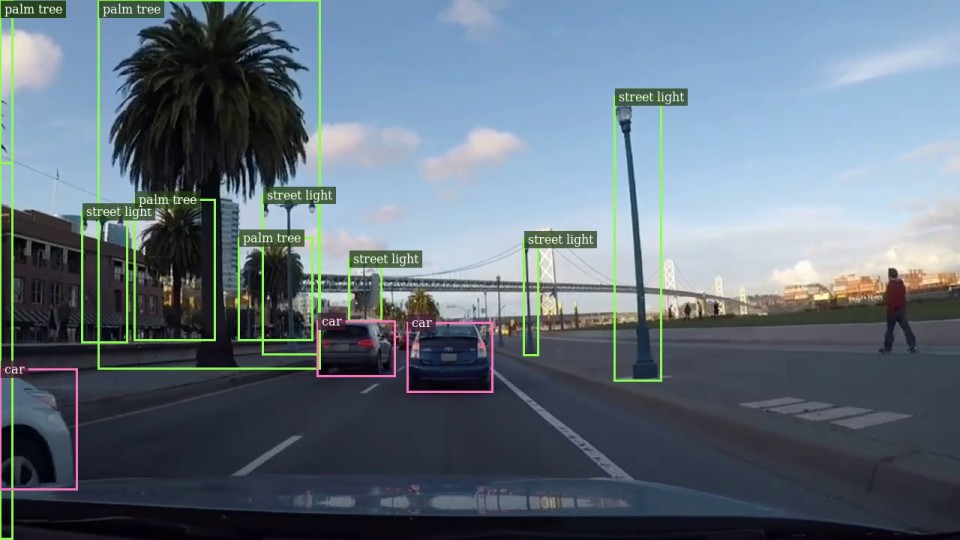
Most vision systems are one trick each: one model detects objects, another reads text, another writes captions. Florence-2 — Microsoft's unified vision model — does all of them with a single model. This project runs it live on video with NVIDIA's DeepStream, and lets you switch tasks on the fly while the stream keeps playing.
Repo: github.com/Vishnu-RM-2001/Florence-2-deepstream
One model, many jobs
Instead of choosing a model per task, you choose a task from the same model. Florence-2 can:
- Detect objects — boxes with class names
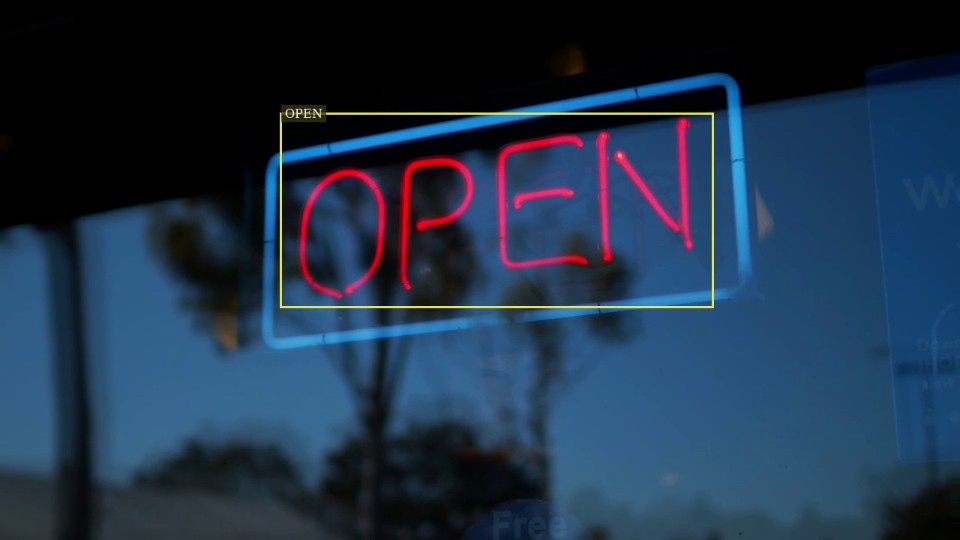
- Read text (OCR) — text with boxes, or plain text
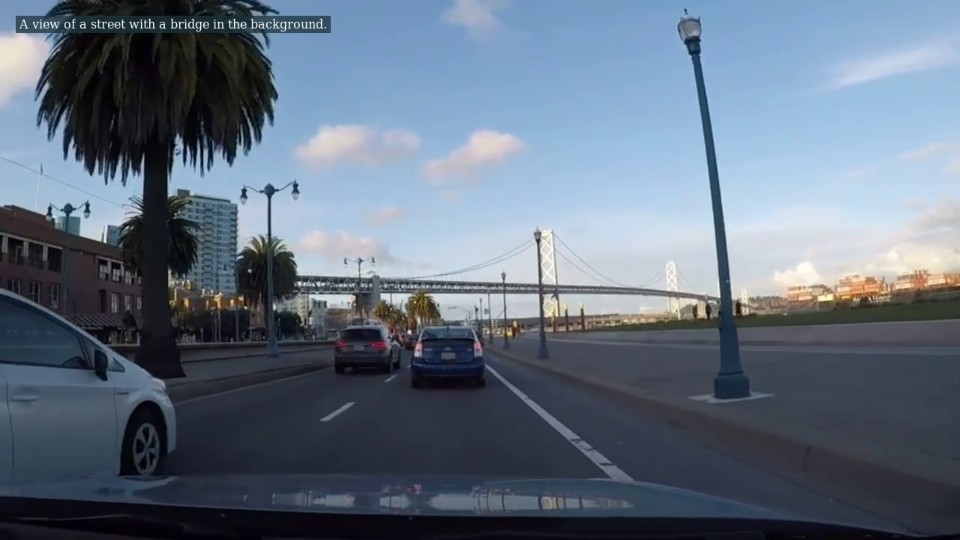
- Caption — from a one-line summary to a full paragraph
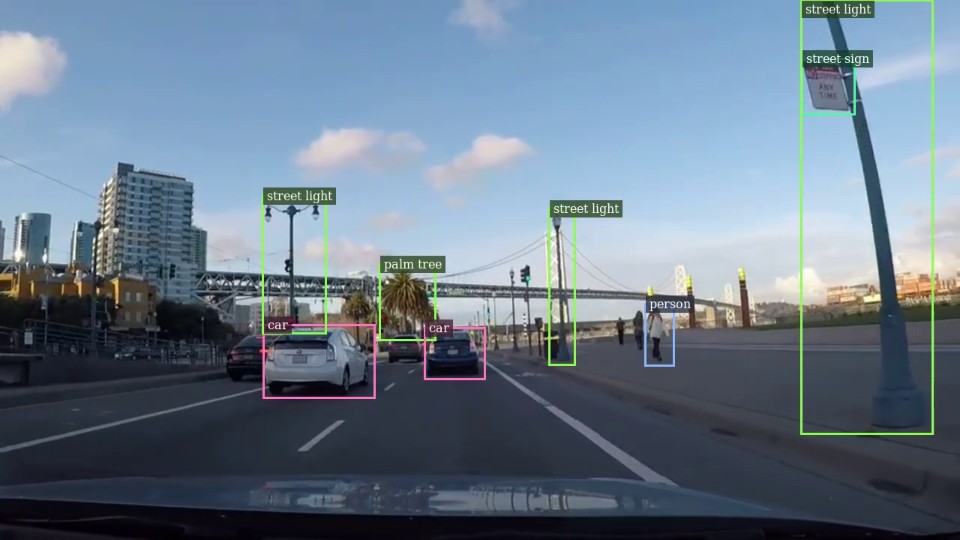
- Describe regions — boxes with short labels (dense region caption)
- Propose regions — interesting boxes, no labels
- Ground a phrase — type any words and get a box for them
What you get per task
Each task is just a flag, with rough speed on a Tesla T4 (base model, fp16):
| Task | What you get | FPS |
|---|---|---|
od | boxes + class names | 15.6 |
ocr / ocr_text | text + boxes / plain text | 7–9 |
caption / detailed_caption | one line → paragraph | 9–18 |
dense_region | boxes + short labels | 18.6 |
region_proposal | boxes (no labels) | 20.0 |
ground <text> | a box for any phrase you type | 19.3 |
See each task in action
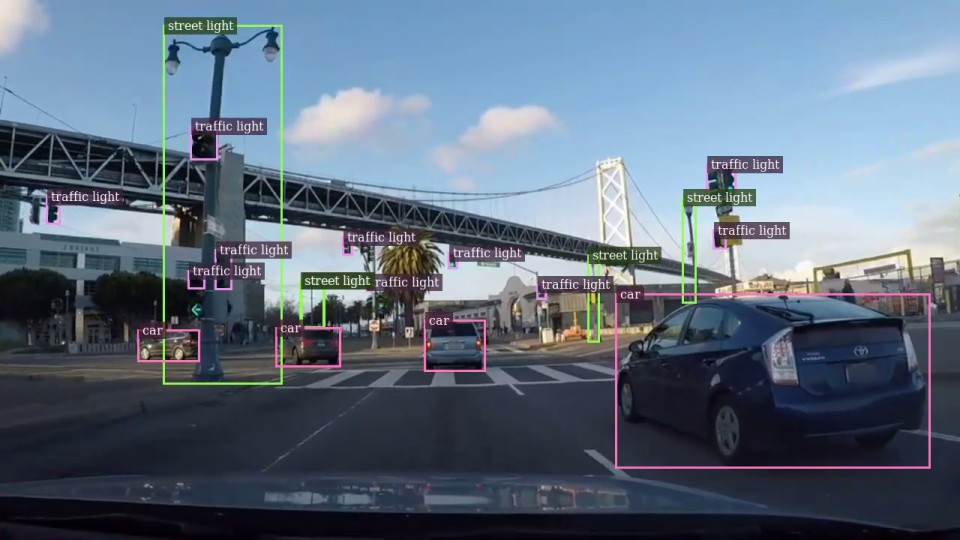
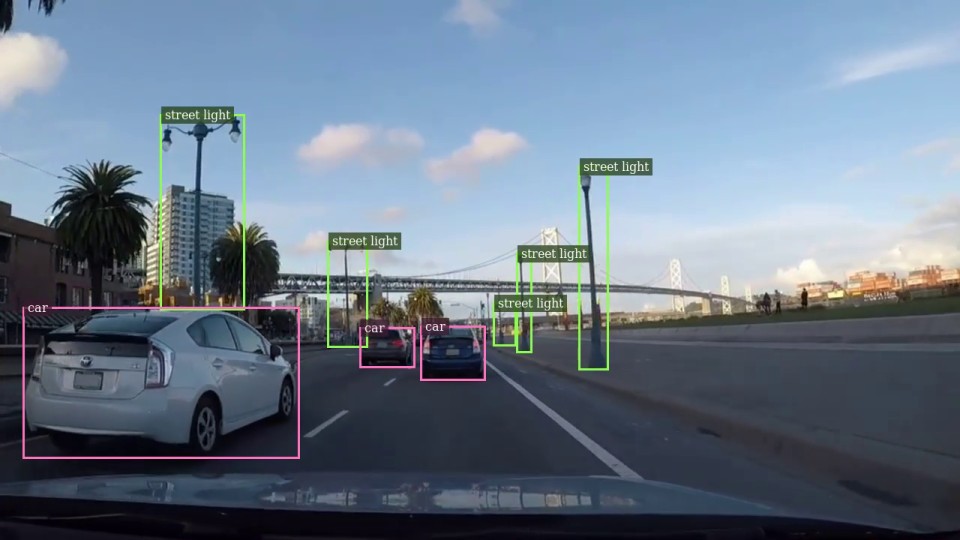
Switch tasks live, no restart
This is the fun part. While a video is playing, open another shell and send a command — it switches over straight away:
bash scripts/florence_cmd.sh od
bash scripts/florence_cmd.sh ocr
bash scripts/florence_cmd.sh caption
bash scripts/florence_cmd.sh "ground the dog"   # grounding takes any phrase
So you can detect objects, then read the signs in the scene, then ask it to caption what's happening — all without stopping the stream.
Quick start
Everything heavy (DeepStream, CUDA, TensorRT, the app) runs inside Docker, so nothing gets installed on your machine. The host only runs a small Python step to download the model.
git clone https://github.com/Vishnu-RM-2001/Florence-2-deepstream.git
cd Florence-2-deepstream

bash scripts/setup_venv.sh        # one-time host Python setup
bash scripts/00_get_model.sh      # download the Florence-2 model
bash scripts/get_test_videos.sh   # grab the demo clips
bash scripts/run.sh               # build everything + run  ->  out_florence_base.mp4
The first run builds the Docker image, the TensorRT engines and the app, then caches them, so later runs start quickly. Pick a task with the 3rd argument:
bash scripts/run.sh '' '' od                                   # object detection
bash scripts/run.sh file:///work/data/ocr_open.mp4 '' ocr      # OCR on a sign
bash scripts/run.sh '' '' 'ground a car, a person, a palm tree'   # grounding
Output: file, stream, or screen
Send the result wherever you need it with --sink:
# MP4 file (default)
bash scripts/run.sh '' out.mp4 od

# RTSP — watch live from another machine
bash scripts/run.sh '' '' od -- --sink rtsp

# On-screen window, looping the clip
bash scripts/run.sh '' '' od -- --sink display --loop
A few technical notes
- How it runs: Florence-2 writes its answer one token at a time, so the pipeline is split —
Gst-nvinferruns the image encoder, and the text-generation loop runs right after it on TensorRT with a KV cache for speed. - Smoother video: add
--infer-interval 2to run the model every 3rd frame and reuse boxes in between — the clip plays close to real time. - Filtering:
--classes "car, person"keeps only labels you care about;--max-areadrops oversized boxes. - Streaming data: add
--kafkato also publish each detection as JSON (label, bbox, confidence, timestamp) to a Kafka topic, while the video keeps working. - Bigger model:
MODEL=largeis more accurate but slower (usesbf16on Ampere+; addDEC_PREC=fp32on an older Turing T4).
Where this is useful
- Flexible video analytics — detect, read, and describe with one model instead of three.
- Document & sign reading — OCR straight from a live feed.
- Scene understanding & accessibility — auto-caption what the camera sees.
- Interactive analysis — an operator switches the task to whatever matters in the moment.
Takeaway: Florence-2 replaces a stack of single-purpose models with one that detects, reads, captions, and grounds — and this project lets you run it on real-time video and change the task mid-stream without ever stopping. One model, many jobs.
Try it / read the full setup: github.com/Vishnu-RM-2001/Florence-2-deepstream — MIT licensed. Florence-2 is © Microsoft (MIT).